By default, a user can qualify for a journey only once. Once they have entered, they will not enter the same journey again, even if they repeat the entry event later. The Re Enter setting in NVECTA lifts that restriction, so a user who is already out of the journey can start it again the next time they match your entry criteria.
This article explains:
- Where the Re Enter setting sits
- When a user actually becomes eligible to re-enter
- What happens when the entry trigger and the exit trigger are the same event
- When you should leave re-entry switched off
If you have not built your journey yet, set it up first using our articles on creating a journey and configuring triggers in a journey.
How To Allow Users To Re-Enter The Journey
Re-entry is switched off by default and is configured per journey, from the journey's own settings.
Where: Journey editor > Setting > Journey Setting > Re Enter
- Open the journey you want to edit in the journey editor.
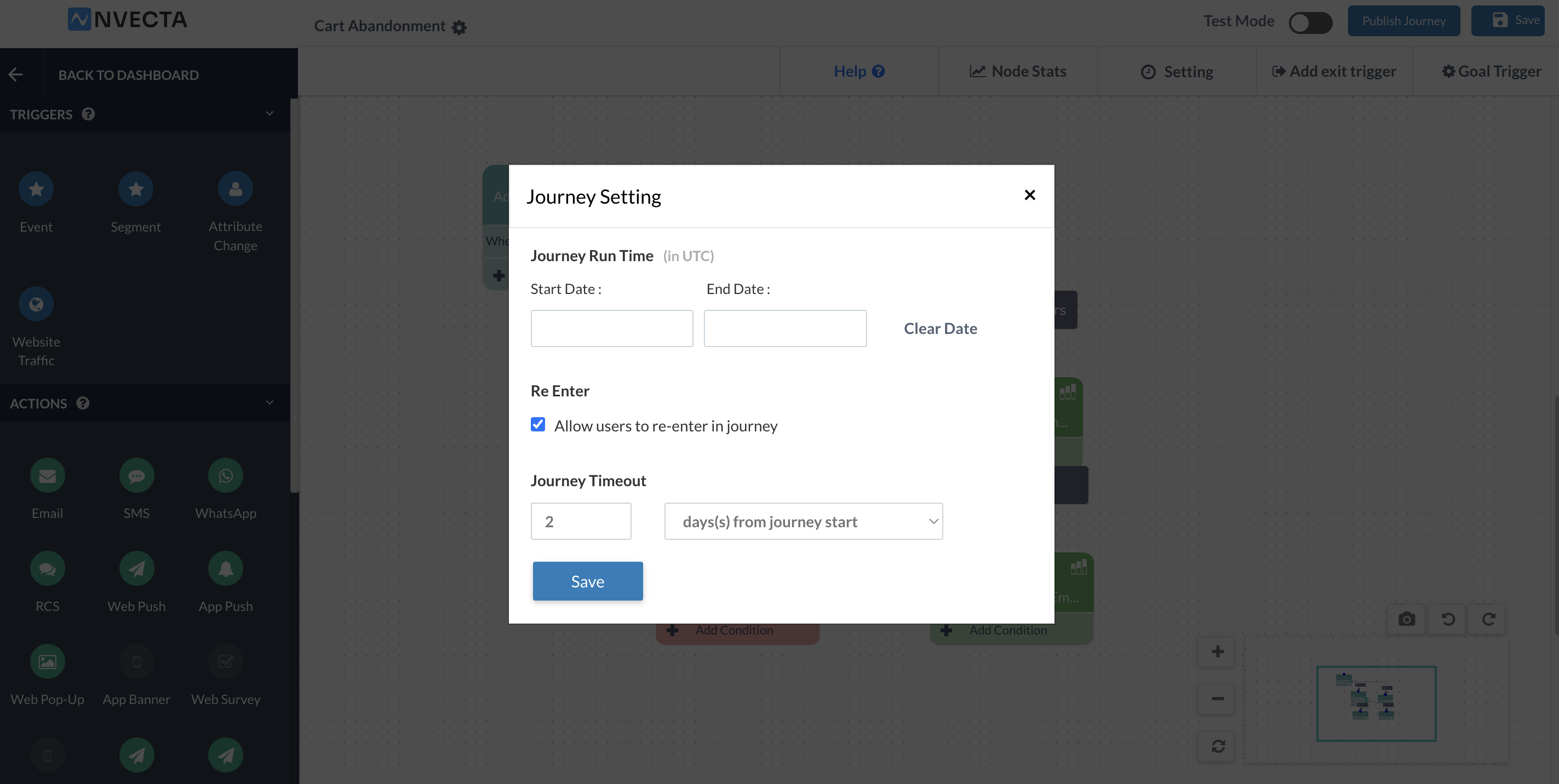
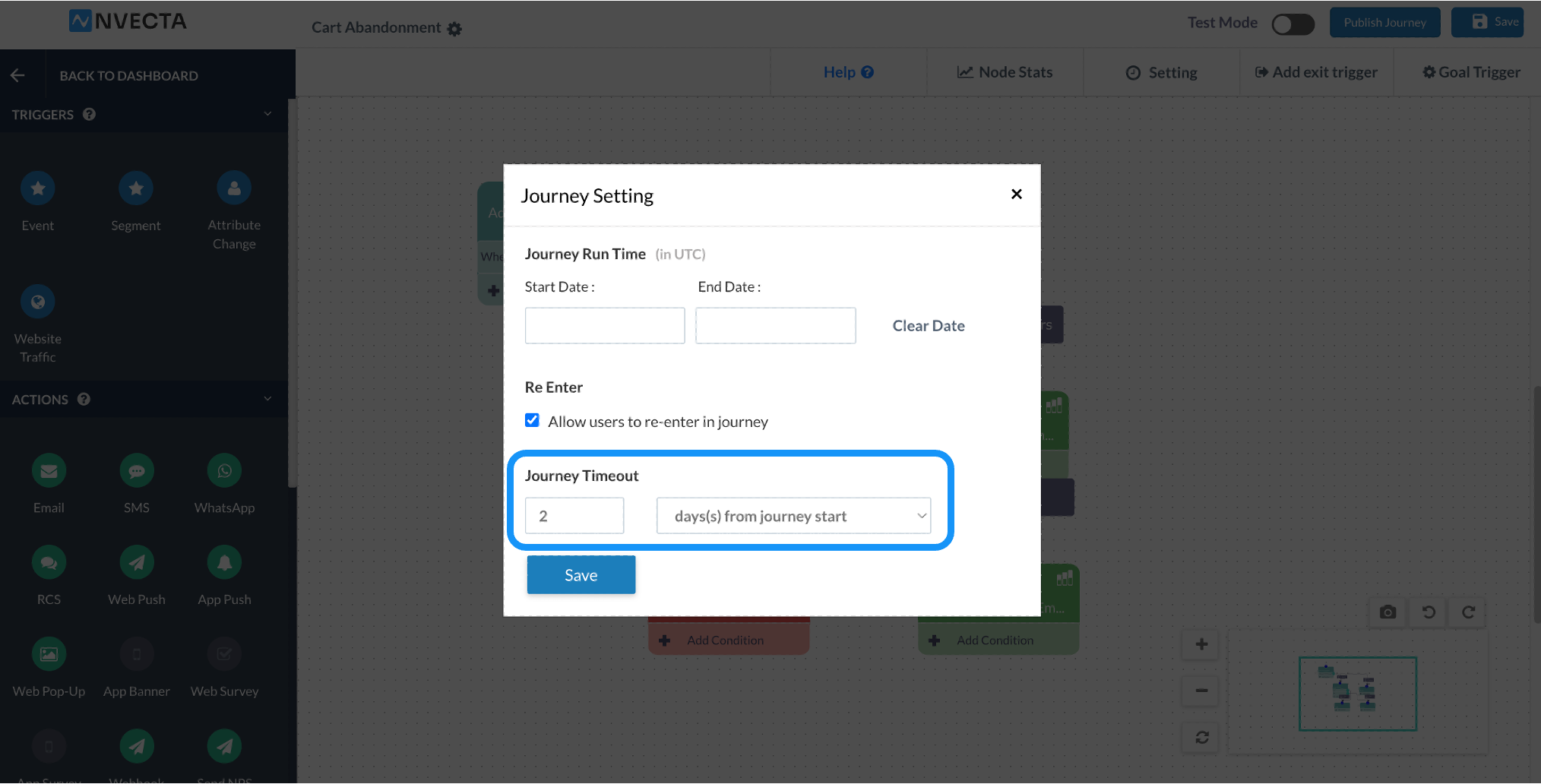
- Click Setting in the top bar. The Journey Setting pop-up opens.
- Under Re Enter, select the Allow users to re-enter in journey checkbox.
- Click Save.
Note
The same pop-up also carries Journey Run Time (in UTC) and Journey Timeout. Journey Timeout is mandatory, and it is also one of the ways a user can leave the journey, so set it with re-entry in mind.
When Does A User Actually Re-Enter?
Selecting the checkbox does not send users back to the start straight away. A user can only re-enter once they are out of the journey, which means they must have completed it or exited it, and they must match your entry criteria again. A user who is still moving through the journey is not re-entered; they finish or exit first, and only then do they become eligible for a fresh run.
Ways A User Exits Or Completes A Journey
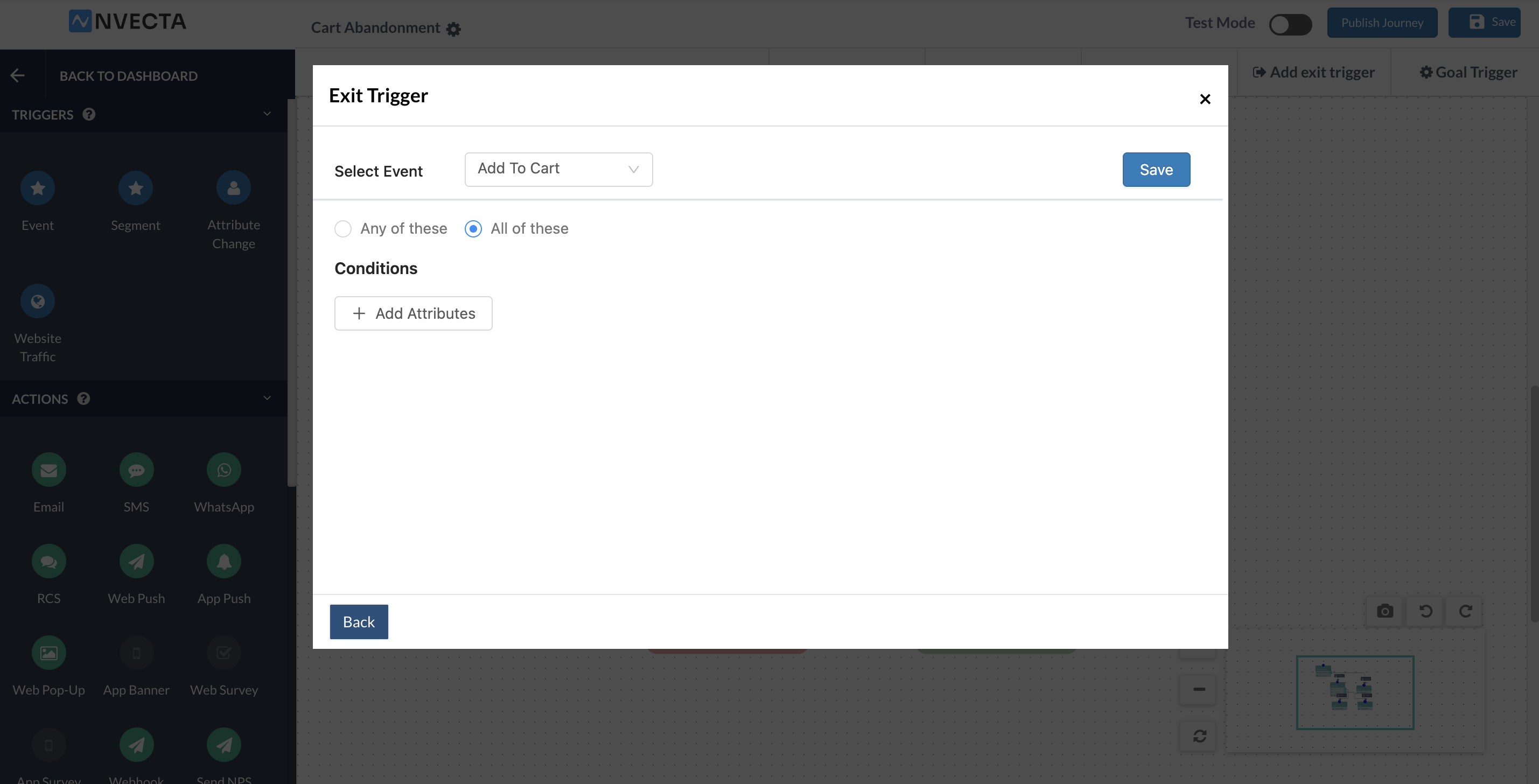
- Exit trigger: Configured from Add exit trigger in the top bar of the journey editor. Choose the exit trigger type When user done an event, pick the event, and optionally narrow it down with event attributes. The user leaves the journey as soon as they perform that event.
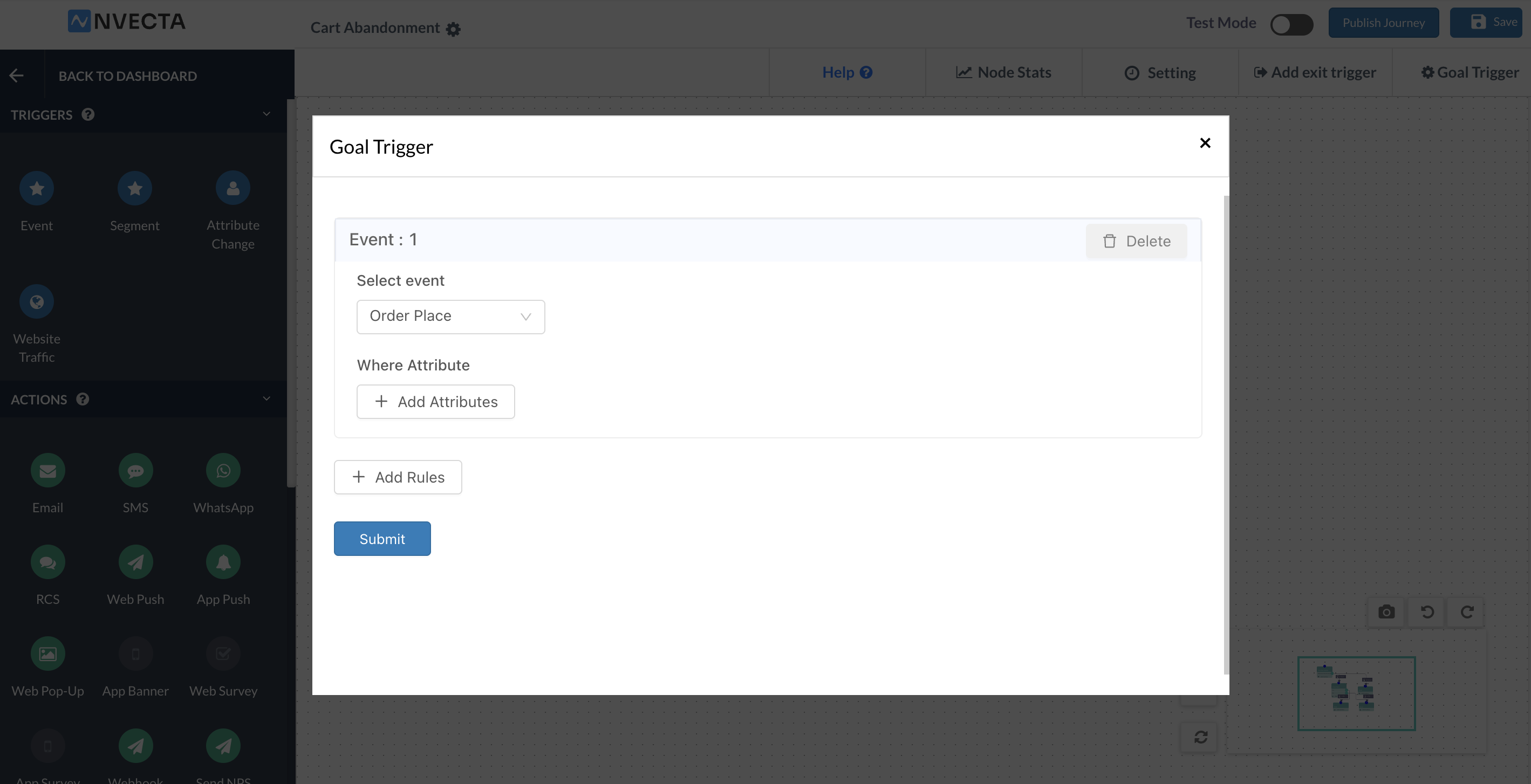
- Goal trigger: Configured from Goal Trigger in the top bar. This is the conversion event of the journey, so the journey ends for a user the moment they complete the goal you have defined.
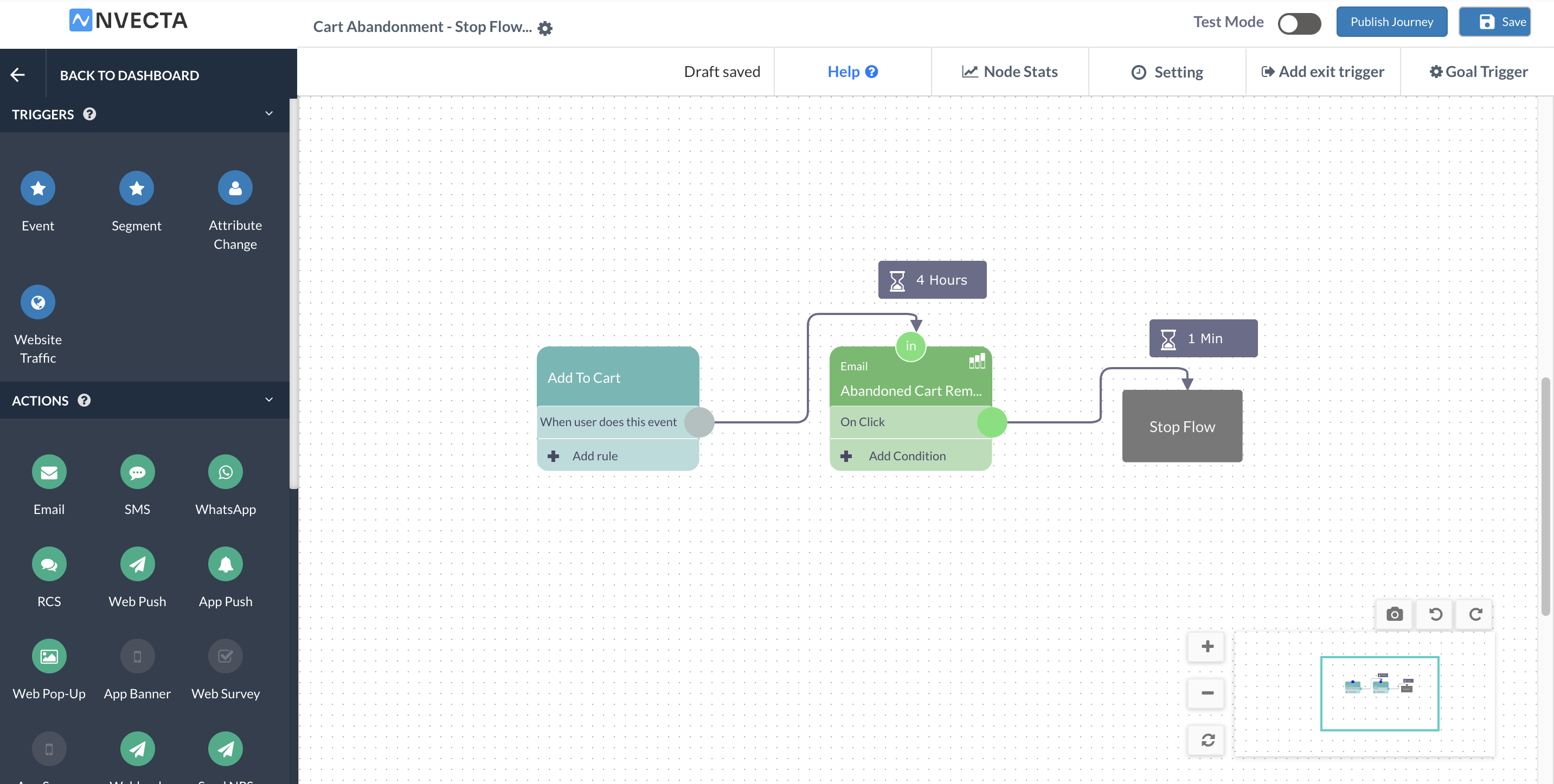
- Stop Flow: A Flow Control block you drop on the canvas. Every user who reaches this block is taken out of the journey at that point in the flow.
- Journey Timeout: Set in Journey Setting, in hour(s) or day(s) from journey start. A user who has not completed the journey by then drops out when the timeout lapses.
Until one of these four things happens, the user is still inside the journey and will not be re-entered, however many times they repeat the entry event.
Example: A Cart Abandonment Journey
Take a cart abandonment journey. A user adds a product to the cart and does not buy it, so the journey waits, watches what the user does, and then sends a discount to nudge the purchase. The purchase is the goal of the journey, so as soon as it happens the user has completed the journey and is out of it.
With Re Enter selected, the same user is picked up again the next time they leave a cart behind, and the nudge sequence runs again for them. With re-enter left unchecked, that user is finished with this journey for good after the first run.
When The Entry Trigger And The Exit Trigger Are The Same Event
You can use the same event as both the entry trigger and the exit trigger of a journey. With re-entry allowed, a user who performs that event while they are already in the journey is first exited from the journey and then re-entered, so:
- The run they were on ends there and then.
- They come into the journey again from the beginning.
- A fresh set of communications goes out for the new run.
This keeps every user on the newest occurrence of the event rather than an older one. It also cuts the earlier run short, so use it only when the latest occurrence is the one that should drive your messaging.
Example: A cart reminder journey that uses Add To Cart as both the entry trigger and the exit trigger.
A user adds Product A to the cart at 10:00 am and enters the journey. The journey waits, then starts sending reminders about Product A. At 11:30 am, before that sequence has finished, the same user adds Product B to the cart. Because Add To Cart is also the exit trigger, the user exits the Product A run at that moment and re-enters the journey straight away. The reminders now go out for Product B, and nothing further is sent for the Product A run.
When Not To Use Re-Entry
We do not recommend re-entry on events that fire very often. If the entry event is something a user performs several times a day, they will keep leaving and re-entering the journey and will receive the same communications again and again, which is a quick route to message fatigue and opt-outs. A few things to keep in mind:
- Prefer entry events that a user performs only now and then, such as a purchase, a subscription renewal or an abandoned cart.
- Check how frequently the event actually fires before you switch re-entry on.
- Remember that the Journey Timeout also decides how soon a user becomes eligible again, because re-entry can only happen once the user is out of the journey.
- If you are unsure, leave the checkbox clear. The journey then runs once per user, which is the default behaviour.
Points To Remember
- Re Enter is optional and is set per journey, from Journey Setting.
- A user re-enters only after they have exited or completed the journey, and only if they match the entry criteria again.
- There are four ways out of a journey: exit trigger, goal trigger, Stop Flow and Journey Timeout.
- Journey Timeout has to be configured for every journey.
- Set re-entry before you publish. Once a journey is published it cannot be edited, apart from certain steps such as campaign content.
Was this article helpful?
That’s Great!
Thank you for your feedback
Sorry! We couldn't be helpful
Thank you for your feedback
Feedback sent
We appreciate your effort and will try to fix the article